
🎨 Etsy & AI: How to Sell AI-Generated Art and Products Online
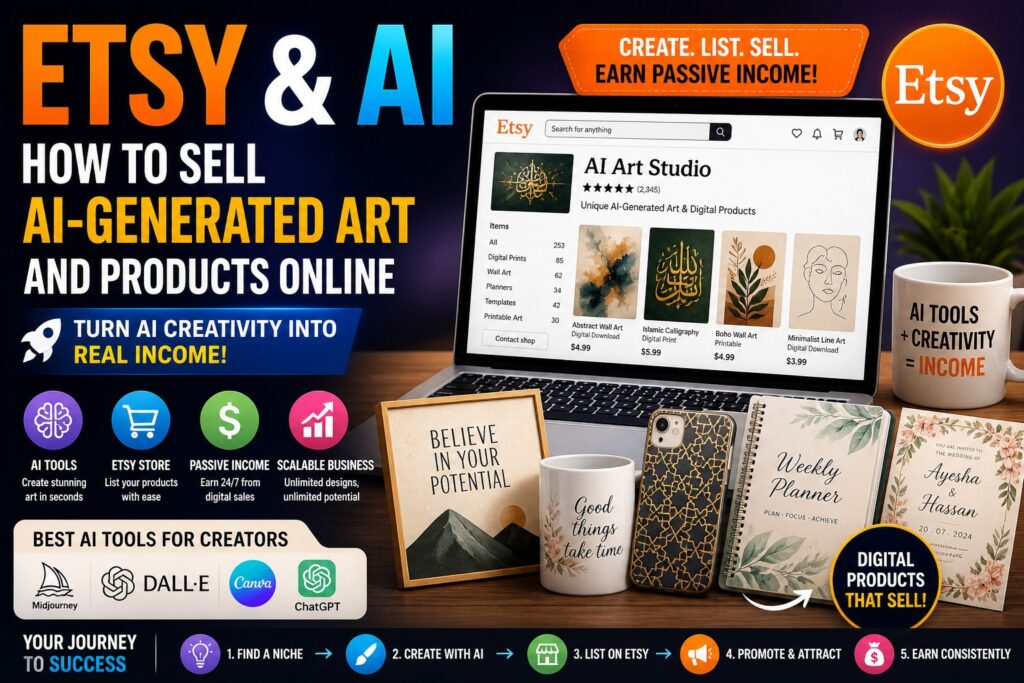
The rise of Artificial Intelligence (AI) has opened a powerful new opportunity: creating and selling digital products without traditional artistic skills.
Platforms like Etsy allow anyone to turn AI-generated designs into a profitable online business.
If you want to earn online by selling digital products, this guide will show you exactly how to do it.
🚀 Why Sell AI-Generated Products on Etsy?
Etsy is one of the best platforms for selling:
- Digital downloads
- Print-on-demand products
- Creative designs
With AI, you can:
✔ Create unique designs quickly
✔ Reduce production costs
✔ Scale your store easily
✔ Earn passive income
🤖 What is AI-Generated Art?
AI-generated art is created using tools that convert text prompts into images.
Example:
- “Luxury Islamic wall art with gold calligraphy”
- “Modern minimalist abstract painting”
AI tools generate high-quality designs instantly.
🔧 Best AI Tools for Creating Products
Here are powerful tools you can use:
- Midjourney – High-quality artistic images
- DALL·E – Creative visuals
- Canva – Editing and product creation
- ChatGPT – Product descriptions & SEO
💡 What Can You Sell on Etsy?
Here are profitable AI-generated product ideas:
🖼️ Digital Art Prints
- Wall art
- Islamic art
- Quotes & typography
📅 Printable Products
- Planners
- Calendars
- Journals
👕 Print-on-Demand Products
- T-shirts
- Mugs
- Phone cases
💌 Invitation & Template Designs
- Wedding invitations
- Business templates
- Social media kits
🧠 Step-by-Step: Start Selling AI Art on Etsy
Step 1: Choose a Niche
Focus on a specific niche:
- Home decor
- Islamic art (great for your region)
- Business templates
Step 2: Generate Designs
Use AI tools to create:
- Unique artwork
- High-resolution images
Step 3: Edit & Optimize
Use Canva to:
- Add text
- Improve quality
- Resize images
Step 4: Create an Etsy Store
- Set up your Etsy shop
- Add product listings
Step 5: Write SEO-Optimized Listings
Use AI to create:
- Titles
- Descriptions
- Tags
Step 6: Upload & Sell
- Upload designs
- Set pricing
- Publish products
Step 7: Promote Your Store
Use:
- Social media
- SEO
📈 How to Increase Sales
To succeed on Etsy:
✔ Use trending keywords
✔ Create multiple products
✔ Offer bundles
✔ Use high-quality mockups
✔ Get customer reviews
💰 Income Potential
With the right strategy, you can:
- Earn passive income
- Scale to multiple products
- Build a full online business
Many sellers earn $500 to $5000+ per month.
⚠️ Common Mistakes to Avoid
Avoid these:
❌ Copying designs (copyright issues)
❌ Low-quality images
❌ Poor product descriptions
❌ No SEO optimization
👉 Always create unique and optimized listings.
🔮 Future of AI + E-commerce
AI will continue to:
- Automate product creation
- Improve design quality
- Increase online income opportunities
👉 Early adopters will dominate the market.
💬 Final Thoughts
Selling AI-generated products on Etsy is one of the best online business opportunities today.
You can:
✔ Start with low investment
✔ Create products quickly
✔ Earn passive income
✔ Scale your business globally
👉 Start today and build your AI-powered store.
🚀 Want Help Building Your AI Online Business?
We can help you:
- Create AI-generated products
- Build your Etsy store
- Optimize listings for SEO
- Generate consistent income
📞 Contact us today and start your online journey!